
Contact Support
If you run into a problem, please start by checking the FAQ above. If you still need help, please email me with a description of the issue and your device details.
Email Support → Step Collector app
Step Collector is a lightweight iPhone app that lets you track individual walks and accumulate steps over time. Organize walks by group, monitor live step counts, and review your progress with simple charts.
Create named groups for different step-tracking routines like commutes, hikes, or family walks.
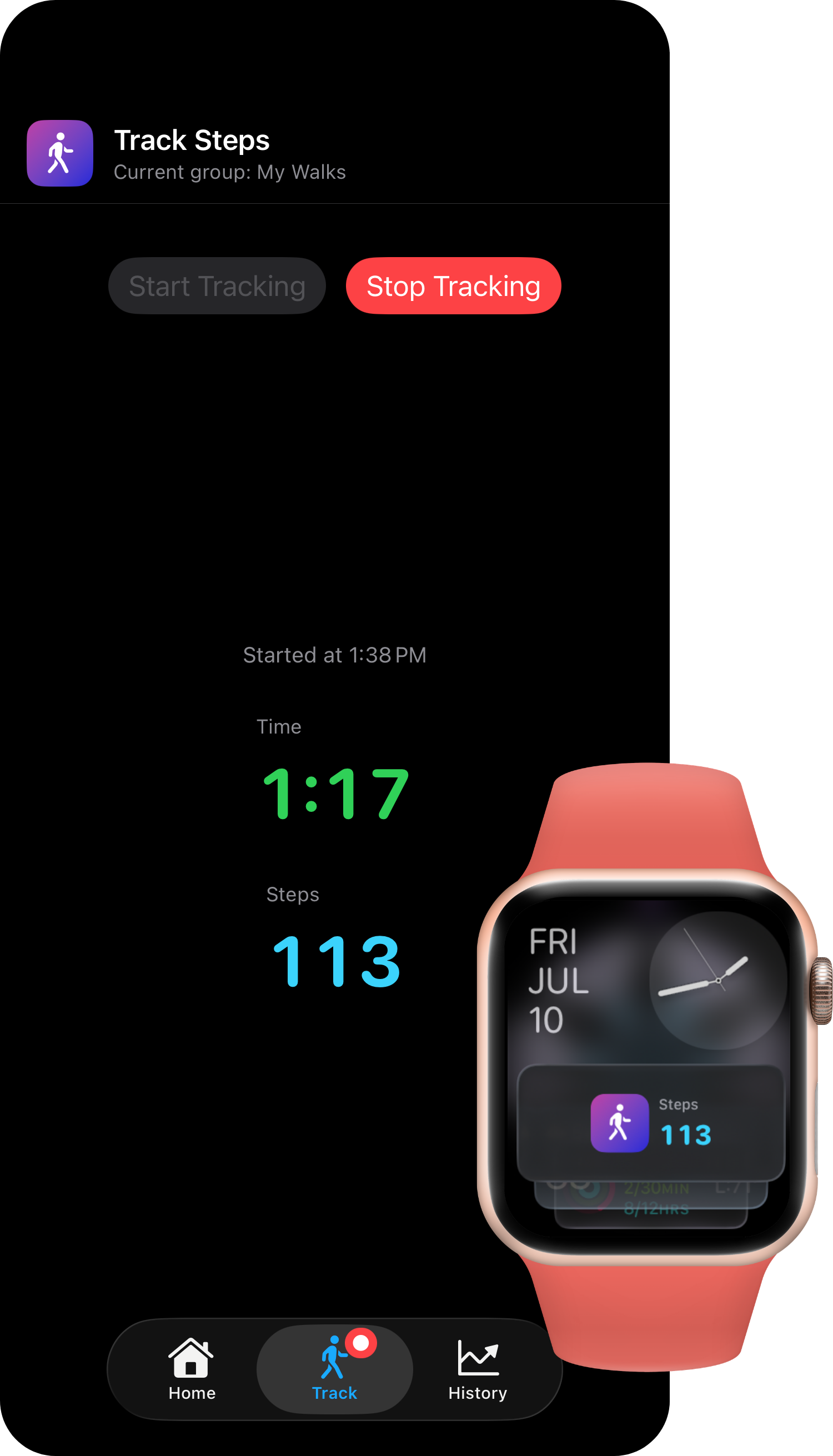
Track elapsed time and step count in real time while your session is active.
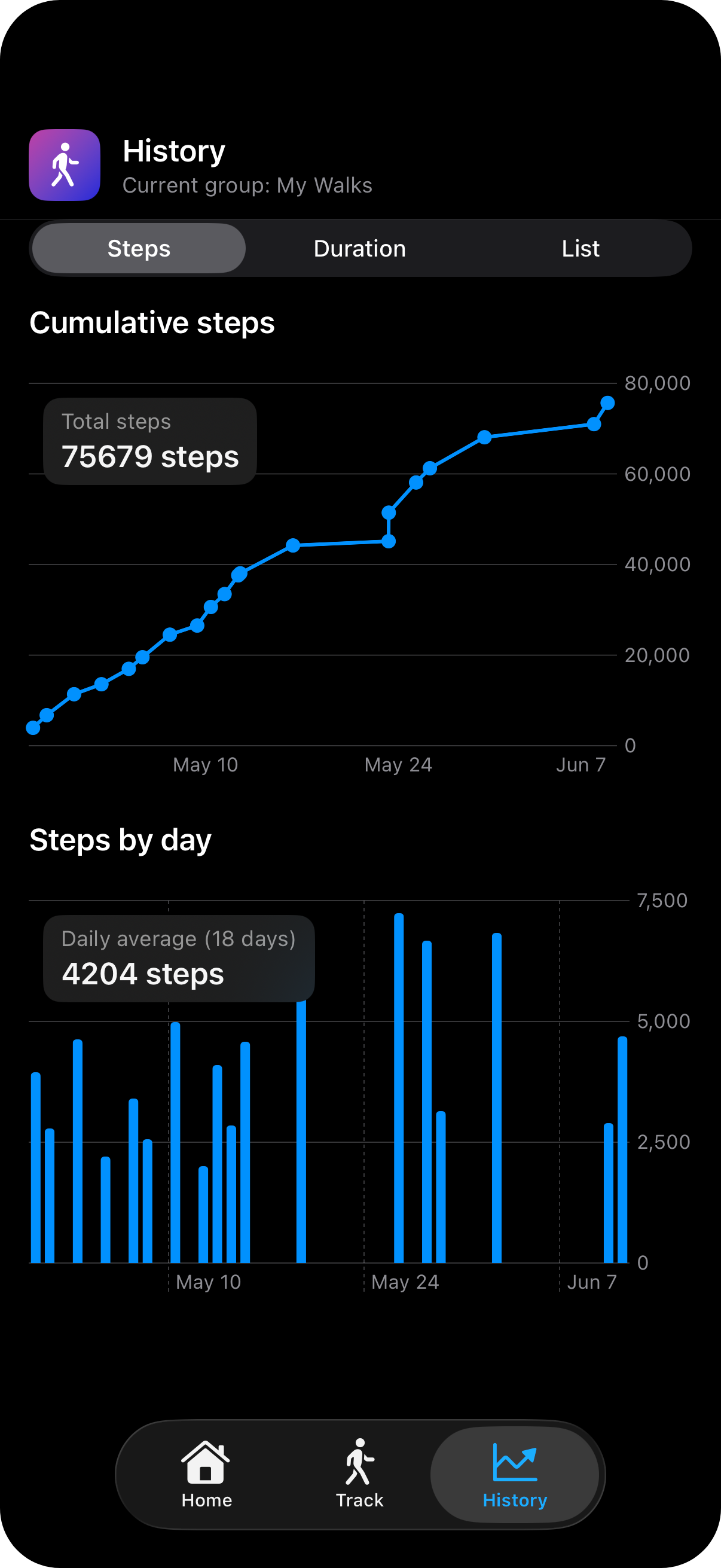
Review cumulative trends and daily totals through list and chart views.
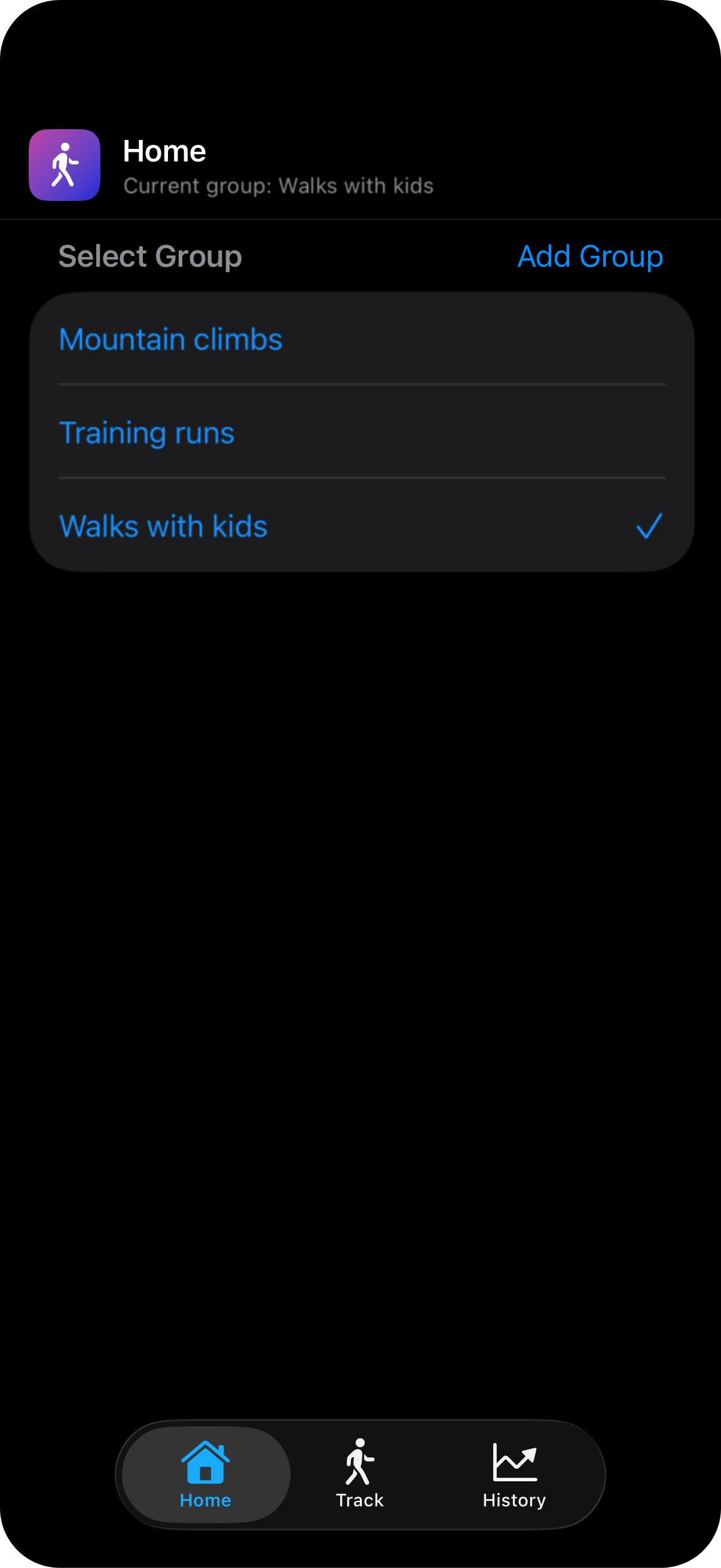
In the Home tab, you can switch between existing groups by selecting them from the list. Add a new group by selecting the "Add Group" item in the top right above the list. Swipe right on an existing group to access the "Delete" option. Swipe left on a group to access the "Rename" option. The number of groups is limited to five. Group names are limited to 100 characters and must be unique.
To start collecting steps, select a group in the Home tab and then switch to the Track tab. Tap "Start Tracking" to begin a new walk session. Your steps will be recorded in real time. The session must be saved to be included in your history - end the session with the "Stop Tracking" button on the Track tab and select "Save Progress" to save the session.
The "Demo Walks" group is included automatically when you first install the app, or when there are no groups on your device. Select this group and switch to the History tab to explore the app's functionality. Delete this group by swiping right on the group name in the Home tab when you're done exploring.
Yes. In the History tab, switch to the List view and swipe left on any session to delete it. Deleted sessions are removed immediately and cannot be recovered.
iOS limits how often background updates can be delivered to the lock screen and Apple Watch to preserve battery life, so the step count only refreshes periodically even while the app is actively tracking. The "--" appears when the phone has been locked long enough that the system has paused Live Activity updates. Your steps are still being recorded — they'll be reflected as soon as you open the app.
Yes. Everything runs on-device — no network connection is needed to track, save, or review your walks.
Yes, it's free to download with no in-app purchases. No account, login, or email address is required — just install and go.
Walk history is included in your standard iCloud device backup if you have iCloud Backup enabled in Settings.
I built it to track walks with my kids and give them something to work toward — like hitting 15,000 steps in a week to earn a trip to the boba store! I love the built-in step tracking offered by the Health app, and I use this to track my own daily step goals, but I wanted a way to track specific walk sessions with the kids and give them a way to see their progress.
If you run into a problem, please start by checking the FAQ above. If you still need help, please email me with a description of the issue and your device details.
Email Support →Check out the app's source code on GitHub. Feel free to submit issues if you find a bug or have a feature request.
View Repository →I'm Abby Skofield, a Massachusetts-based software engineer. If you'd like to connect professionally, find me on LinkedIn.
Meet Abby →Effective date: May 8, 2026
Step Collector does not collect, share, or sell any personal information. Walk groups and session history are stored locally on your device. The app requests Motion and Fitness access to count steps during an active session. There are no accounts, no analytics, and no third-party SDKs.
If this policy changes, the effective date above will be updated. For privacy questions, contact abbyskocodes@gmail.com.